
Understanding Collision Domains, Broadcast Domains, VLANs, and Trunking
Monday, November 24, 2025
If you're preparing for your CCNA certification or simply want to build a solid foundation in networking, understanding Layer 2 and Layer 3 concepts is essential. From collision domains to VLANs and trunk configurations, these fundamentals form the backbone of enterprise network design.
In this comprehensive guide, we'll break down everything you need to know to master these critical networking concepts.
What is a Collision Domain in Networking?
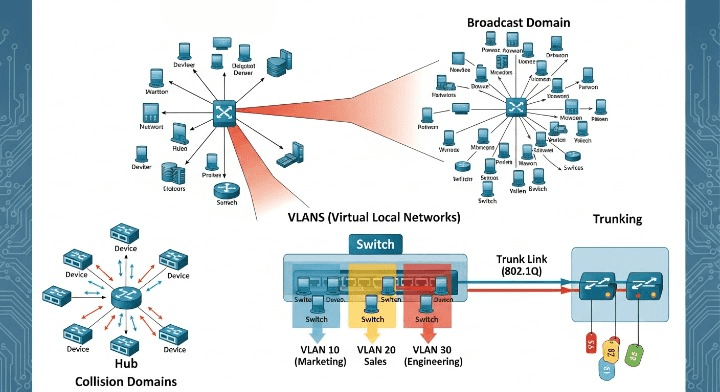
A collision domain represents a network segment where data packets can collide when two devices attempt to transmit simultaneously. This concept becomes particularly important when working with older network hardware like hubs, which operate in half-duplex mode.
Think of a hub as a large conference call where only one person can speak at a time. If two participants talk simultaneously, their messages collide and become garbled. Every device connected to a hub shares the same collision domain, which significantly limits network performance and scalability.
Modern switches revolutionized this by creating separate collision domains for each port. Operating in full-duplex mode, switches allow simultaneous sending and receiving of data, effectively eliminating collisions between ports. Each router interface also constitutes its own collision domain, providing additional network segmentation.
What is a Broadcast Domain?
While collision domains deal with data transmission conflicts, broadcast domains define the reach of broadcast traffic across your network. A broadcast domain encompasses all devices that receive a broadcast frame sent by any device within that domain.
By default, both hubs and switches forward broadcast traffic to all connected ports, placing all devices in a single broadcast domain. This behavior changes with routers, which do not forward broadcast traffic between interfaces. This characteristic makes routers essential for breaking up large networks into manageable broadcast domains and improving overall network efficiency.
Hub vs Switch vs Router: Key Differences Explained
Understanding how these three device types handle traffic is fundamental to network design:
Hubs operate at Layer 1 (physical layer), broadcasting all frames to every port. They create a single collision domain and a single broadcast domain, making them unsuitable for modern networks.
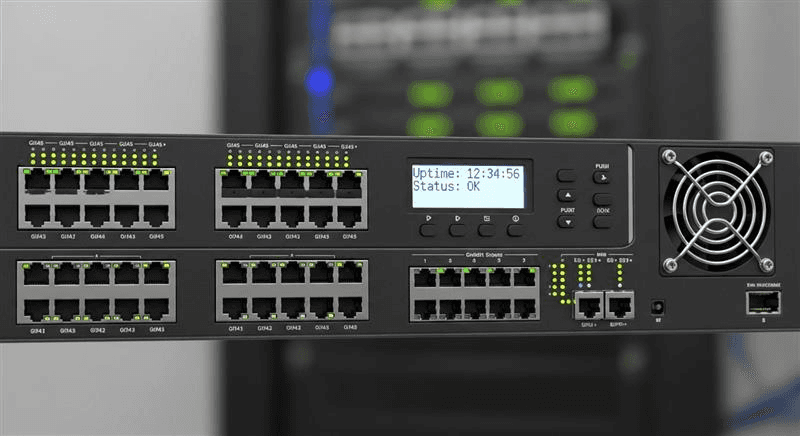
Switches work at Layer 2 (data link layer), learning MAC addresses and forwarding frames only to the appropriate destination port. They maintain a CAM (Content Addressable Memory) table that maps MAC addresses to specific ports, dramatically improving network efficiency.
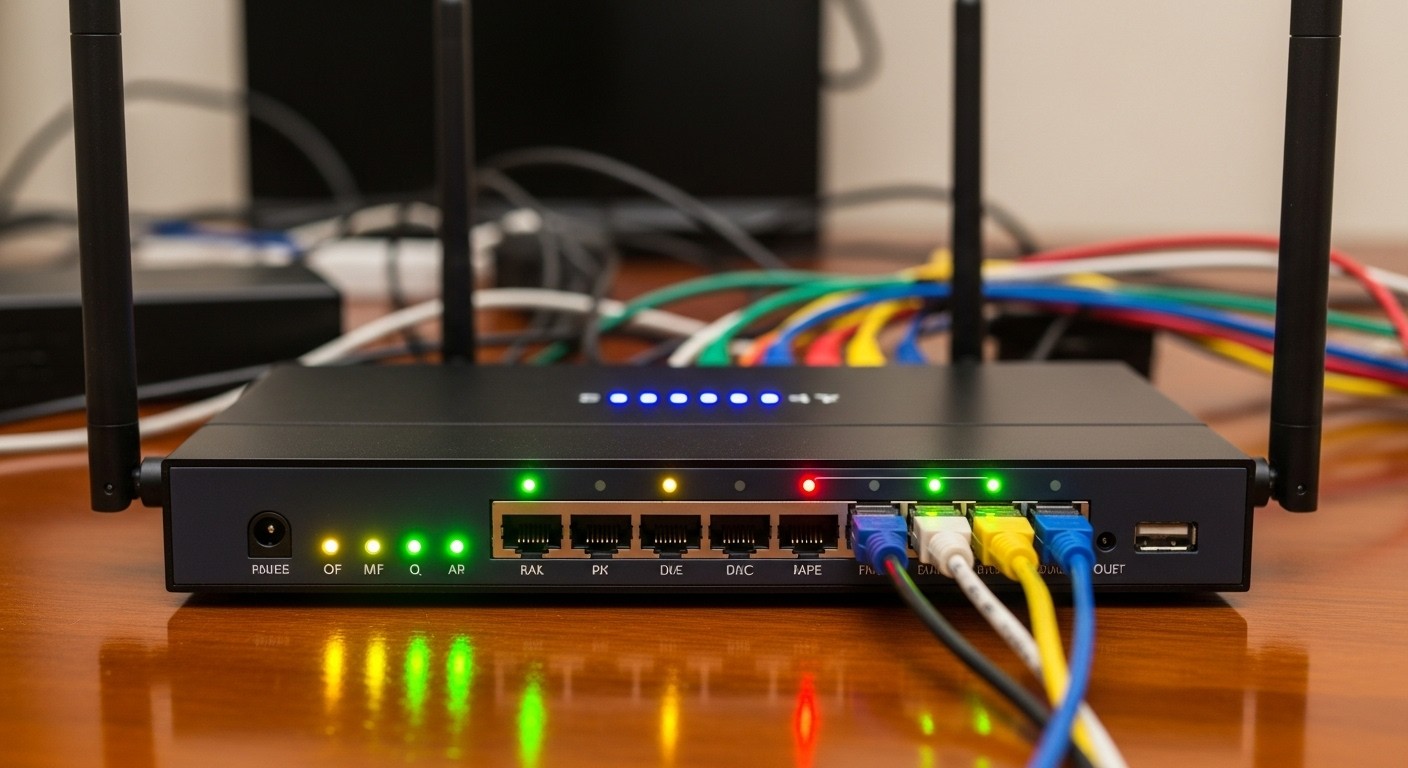
Routers function at Layer 3 (network layer), making forwarding decisions based on IP addresses. Each router interface creates a separate broadcast domain, enabling communication between different subnets and serving as the default gateway for end devices.
How MAC Address Learning and ARP Work
When a device connects to a network and obtains an IP address, it uses ARP (Address Resolution Protocol) to discover the MAC addresses of other devices. Switches learn source MAC addresses from incoming frames and populate their CAM tables with this information.
When a switch receives a frame destined for an unknown MAC address, it performs unknown unicast flooding, sending the frame to all ports within the same VLAN except the source port. MAC table entries are dynamic by default and age out after 300 seconds on Cisco devices. For critical infrastructure like firewalls or servers, administrators can configure static MAC entries to prevent unwanted re-learning and potential traffic disruption.
What are VLANs and Why Use Them?
Virtual LANs (VLANs) represent one of the most powerful tools in a network engineer's arsenal. VLANs logically segment a physical switch into multiple broadcast domains, providing several key benefits:
Reduced broadcast traffic by containing broadcasts within specific VLANs
Enhanced security through logical separation of sensitive departments or systems
Simplified management by organizing devices based on function rather than physical location
Cost savings by reducing the need for additional physical hardware
Each VLAN typically corresponds to its own IP subnet, and inter-VLAN communication requires a Layer 3 device such as a router or Layer 3 switch. VLAN IDs range from 1 to 4094, with VLANs 1-1005 considered normal range and 1006-4094 being extended range VLANs.
Access Ports vs Trunk Ports: Configuration Guide
Switch ports operate in two primary modes that every network professional must understand:
Access ports carry traffic for a single VLAN and connect end devices like computers, printers, and IP phones. Frames leaving an access port are untagged, meaning the VLAN information is stripped before transmission to the end device.
Trunk ports carry traffic for multiple VLANs between network infrastructure devices. Using the 802.1Q tagging standard, trunk ports insert a 4-byte tag into Ethernet frames to identify which VLAN the traffic belongs to. This enables a single physical link to transport traffic from dozens or even hundreds of VLANs.
The native VLAN deserves special attention in trunk configurations. Frames belonging to the native VLAN traverse the trunk untagged, and mismatched native VLAN settings between trunk endpoints cause communication issues and security vulnerabilities. Always ensure native VLAN configurations match on both ends of a trunk link.
Understanding 802.1Q VLAN Tagging
The IEEE 802.1Q standard defines how VLAN tagging works within Ethernet frames. The 4-byte tag consists of a Tag Protocol Identifier (TPID) set to 0x8100 and Tag Control Information (TCI) containing priority bits for QoS, a DEI bit, and the 12-bit VLAN ID field that supports values from 0 to 4095.
DTP and Trunk Negotiation Best Practices
Dynamic Trunking Protocol (DTP) is a Cisco proprietary protocol that automatically negotiates trunk links between switches. While convenient in lab environments, DTP presents security risks in production networks. Ports configured as "dynamic desirable" actively attempt to form trunks, while "dynamic auto" ports passively accept trunk negotiations.
Best practice recommendation: Disable DTP in production environments using the switchport no negotiate command and manually configure trunk ports. This prevents unauthorized devices from establishing trunk connections and potentially accessing multiple VLANs.
Essential Cisco Commands for VLAN and Trunk Configuration
Mastering these commands will prepare you for both certification exams and real-world networking:
show vlan briefdisplays VLAN information and port assignmentsshow mac address-tablereveals learned MAC addresses and their associated portsshow interface trunkverifies trunk status and allowed VLANsswitchport mode accessandswitchport access vlan [ID]configure access portsswitchport mode trunkandswitchport trunk native vlan [ID]configure trunk ports
Troubleshooting MAC Address Learning Issues
When MAC addresses fail to appear in the CAM table, systematic troubleshooting becomes essential. Start by verifying physical connectivity, including cable integrity and link LED status. Confirm the switch port is administratively enabled and operating in the correct VLAN. Check whether the connected device is generating traffic, as switches only learn MAC addresses from received frames. Finally, review any port security configurations or ACLs that might be blocking traffic.
Start Your Networking Career with Network Kings
Mastering these CCNA concepts opens doors to rewarding careers in network engineering, cybersecurity, and cloud infrastructure. If you're serious about building expertise in networking, choosing the right learning platform makes all the difference.
Network Kings is an online ed-tech platform that began with sharing tech knowledge and helping others learn something substantial in IT. The entire journey began merely with a YouTube channel, which has now transformed into a community of 320,000+ learners. The CCNA training at Network Kings is conducted by real-time IT engineers who will make you proficient in IT Networking through online video lectures and lab practice.
What sets Network Kings apart is their comprehensive approach to IT education. You will get 24/7 virtual lab access with zero downtime, learn top-notch IT courses trending in the industry under network security, cybersecurity, cloud security, and DevOps, and have the freedom to learn flexibly with recorded sessions. They host both weekday and weekend batches with flexible timings, so scheduling doesn't become a hurdle if you're a working professional.
The trainers are industry experts who explain complex concepts in a simple way, with hands-on labs and real-world scenarios. Whether you're starting with CCNA fundamentals or advancing to CCNP and beyond, Network Kings provides the structured learning path and practical experience needed to succeed in today's competitive IT landscape. Their courses cover everything from basic routing and switching to advanced specializations in SD-WAN, Python automation for network engineers, and cybersecurity certifications.

The founder of Network Kings, is a renowned Network Engineer with over 12 years of experience at top IT companies like TCS, Aricent, Apple, and Juniper Networks. Starting his journey through a YouTube channel in 2013, he has inspired thousands of students worldwide to build successful careers in networking and IT. His passion for teaching and simplifying complex technologies makes him one of the most admired mentors in the industry.